See exactly which apps eat your bandwidth.
A minimalist macOS menu bar app. Real-time and historical network usage, per app. Helper processes fold under their parent. Nothing leaves your machine.
macOS 14+ · Apple Silicon & Intel · ~6 MB · Try free for an hour
- 100% local · no telemetry
- Notarized by Apple
- 14-day refund

Live
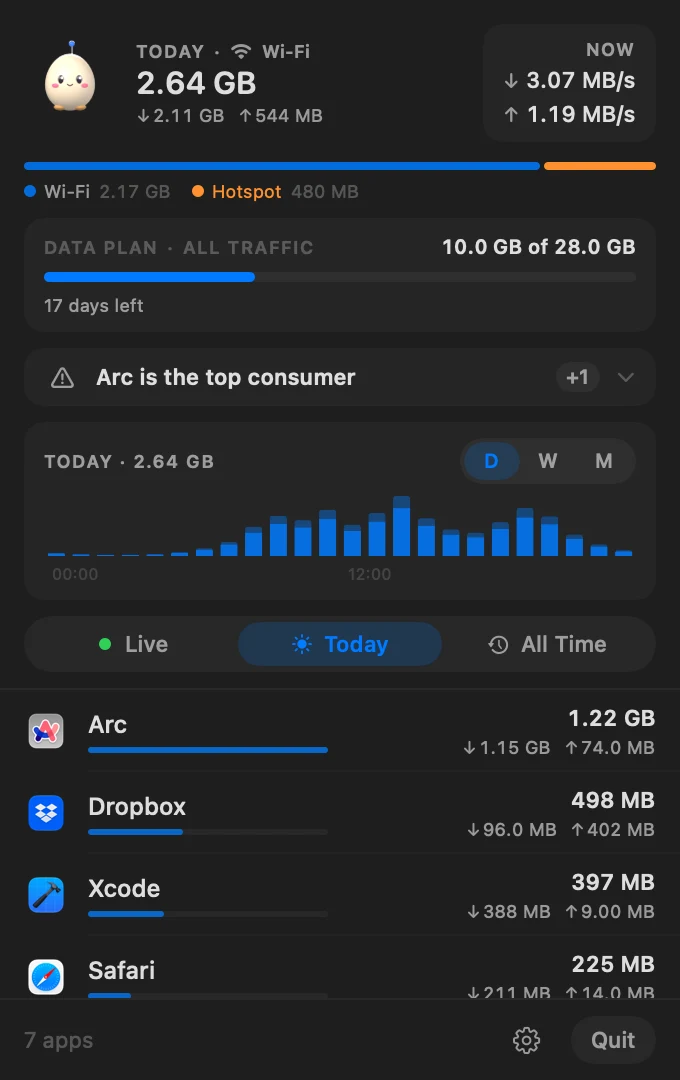
What is using your connection — right now.
Every app with its live rate and a minute of history. Helpers fold under their parent, so Arc and its twelve helpers are one row.
Helper grouping
Browser, GPU and renderer helpers count toward the app they belong to.
Nothing slips through
Connections that open and close between two samples are reconciled with your network interface, so totals match what your provider sees.
A tiny companion
The egg in the header sleeps when you're idle, hops under load and sweats on a hotspot.
History
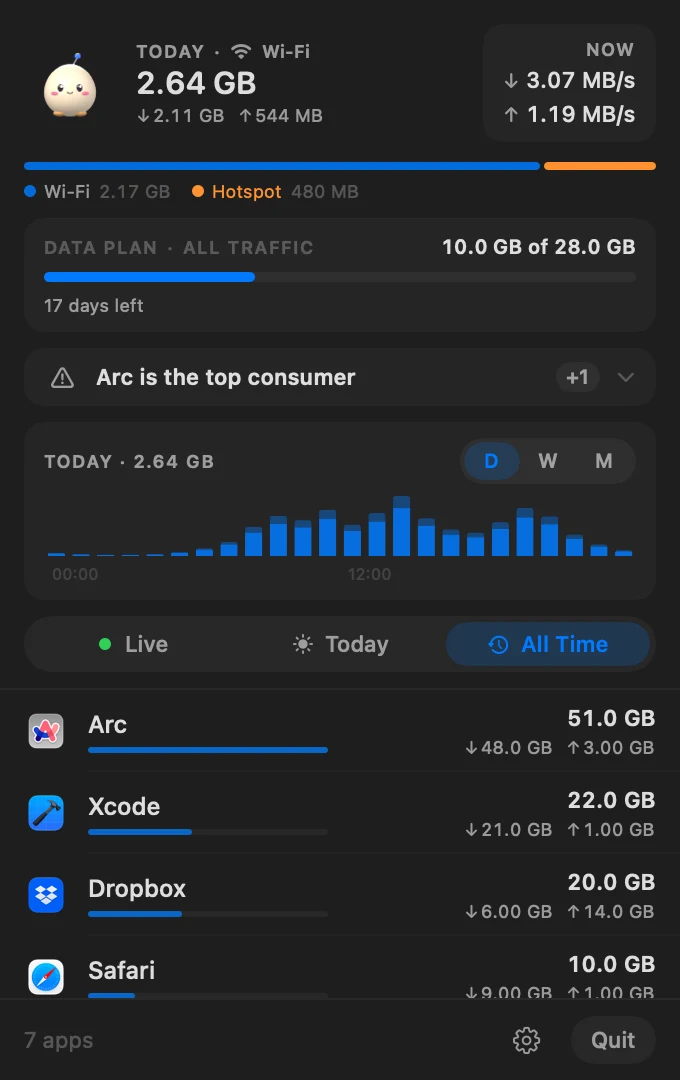
Today, this week, all time.
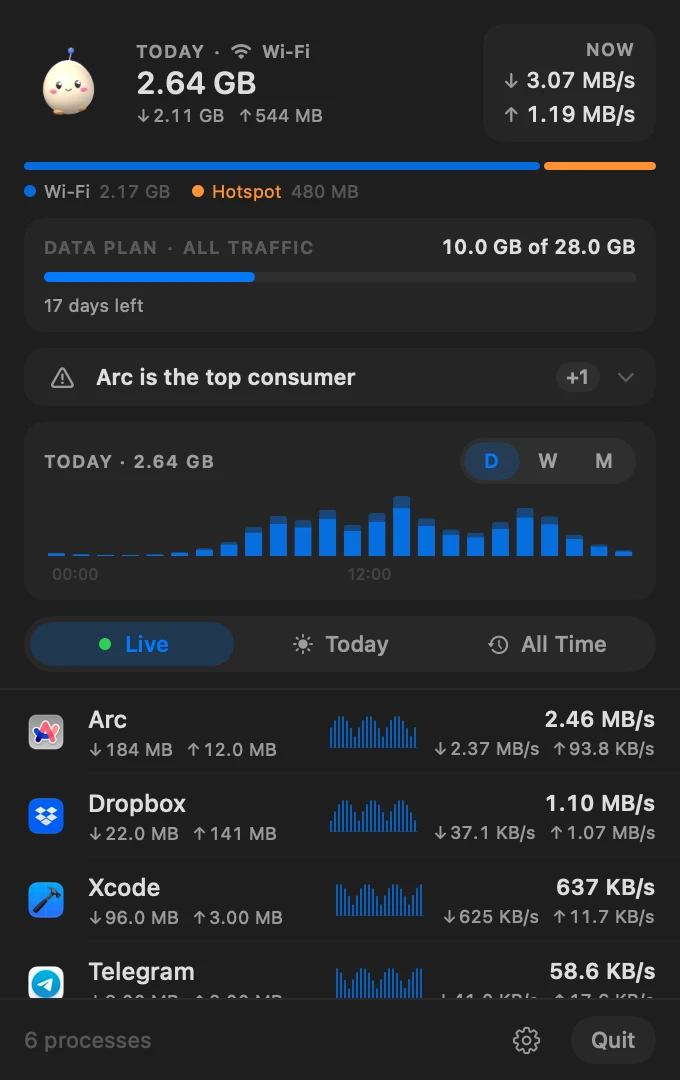
Per-app totals with a share bar, an hourly chart you can hover, and 7- and 30-day trends. Click any app for its own history and a week-over-week comparison.
Months of history, kilobytes on disk
Samples roll up into minutes, hours and days in a local SQLite file.
Per-app detail
One app's traffic by day and by connection, compared with last week.
Export anytime
All your data as CSV, one click from Settings.
Data plan
Know before the bill does.
Set your monthly allowance and ova tracks it — all traffic for a capped home line, or only the hotspot for a phone plan. You're notified at 80% and 100%.
Monthly data plan
Cap, reset day and what counts — the card shows exactly where you stand.
Hotspot aware
Recognises iPhone and Android tethering and splits today's traffic by connection.
Alerts that matter
A daily limit on metered connections, per-app watch rules, and a heads-up when something uploaded while you were away.
Quiet Mode
Pause iCloud, Time Machine and App Store sync on a hotspot — automatically, if you like.
Everywhere
Not just the menu bar.
ova shows up where you already look.
Desktop widget
Today's usage, top apps and your data plan at a glance.
Siri & Shortcuts
“How much data did I use today?” — answered without opening anything.
Opens at login
Set it once; ova is measuring before you open a browser.
Automatic updates
Signed updates arrive in the app. You decide when to install.
Private by design
Your traffic stays yours.
Measurements never leave your Mac. ova only goes online to check your license and look for updates.
Local by default
Everything lives in ~/Library/Application Support/ova. No account, no analytics, no telemetry.
Light on resources
One short nettop sample every two seconds — about 20 MB of memory and well under 1% CPU.
Native everything
Swift and SwiftUI. Follows dark and light mode, ten languages. No Electron.
Signed and notarized
Developer ID–signed and notarized by Apple, with signed updates.
Pricing
One price, lifetime.
Pay once, own it forever. No subscription, no nagware, no upsells.
USD · one-time
- macOS app, Apple Silicon native
- Lifetime updates
- Per-app live + historical bandwidth
- Helper-process grouping
- Local SQLite history with rollups
- No subscription, ever
Secured by Polar · Refund within 14 days, no questions asked.
Get started
Up and running in three steps.
Buy a license, download the DMG, paste the key. Your menubar starts measuring within a minute.
- 01Buy
Get a license
Checkout through Polar — your license key lands in your inbox within seconds.
- 02Download
Install the app
One signed and notarized DMG. Drag ova.app into /Applications and launch.
macOS 14+ · ~3 MB - 03Activate
Paste your key
On first launch, ova asks for the license key from the Polar email. Paste it once — verified locally, tied to this Mac, your menubar starts measuring.
That's it.
FAQ
Honest answers.
Still stuck? hi@productdevbook.com

Stop guessing. Start seeing.
ova lives in your menu bar and tells the truth about your bandwidth.
macOS 14+ · Apple Silicon & Intel · ~6 MB · Try free for an hour